SubManager News
Feature announcements and updates.
Ready for iPhone Duo!
18 October 2026
SubManager is ready for iPhone Duo from Day 1! Every screen has been optimised to take advantage of the expanded display, with side-by-side layouts that let you see more at once.
Check out the demo below:
SubManager 2.0 launches September 14 with smarter ways to stay on top of subscriptions
11 September 2026
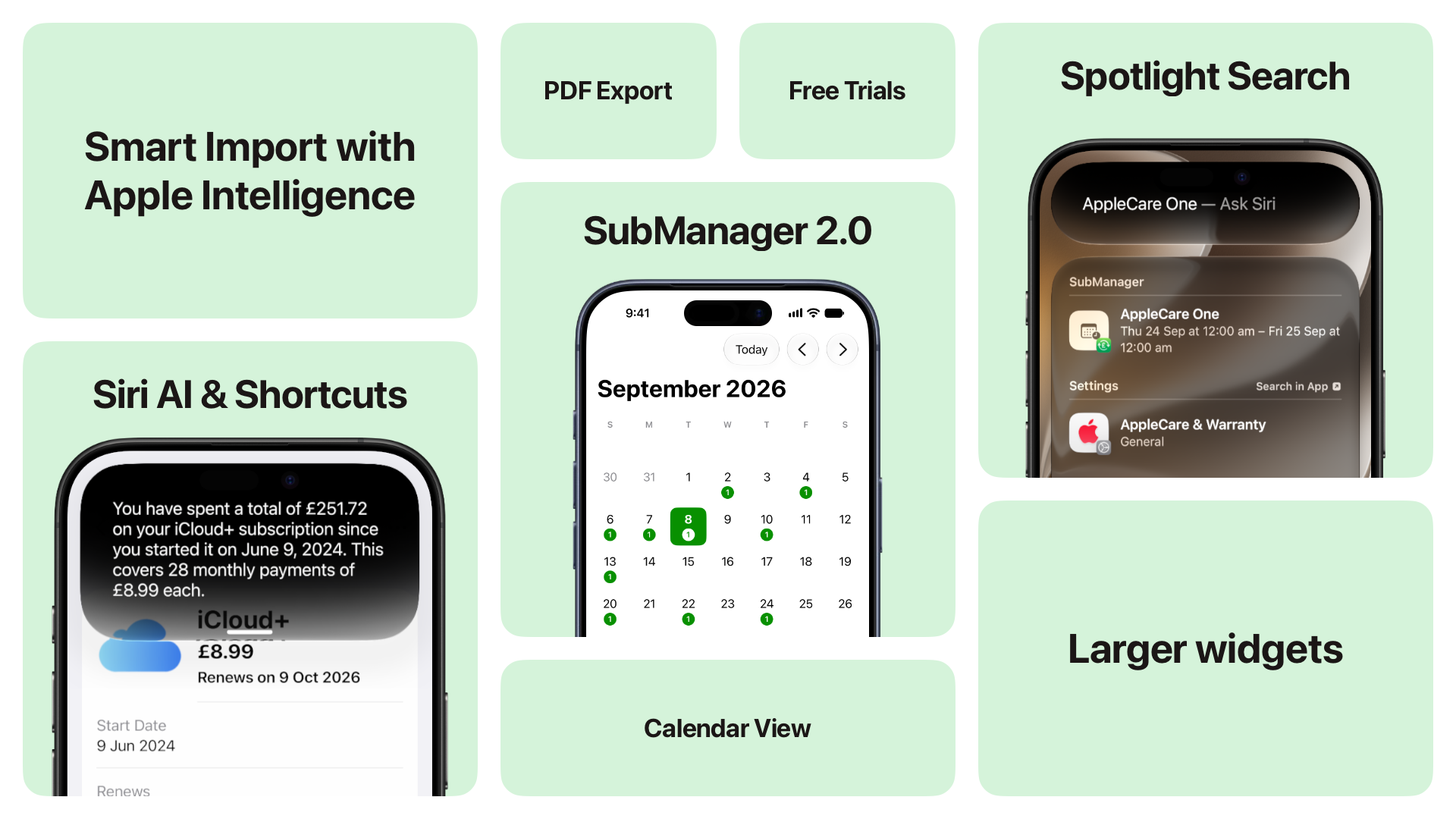
For the past three years, SubManager has helped users around the world understand where their money goes.
From streaming services and software to gym memberships, insurance, rent and other recurring payments, SubManager brings regular expenses together in one private and easy to understand place. It helps users prepare for upcoming charges, avoid forgotten renewals and keep their spending under control.
SubManager 2.0 launches worldwide at 7:00 a.m. BST on September 14 alongside the latest Apple operating system releases. It will be available in Pacific time from 11:00 p.m. PDT on September 13. This is the biggest update to SubManager yet, built to take advantage of the latest capabilities across iPhone, iPad, Mac, Apple Watch and Apple Vision Pro.
Turn screenshots and documents into subscriptions
Adding subscriptions manually can take time, especially when moving from another app or working through a long list of payments.
Smart Import makes the process much easier.
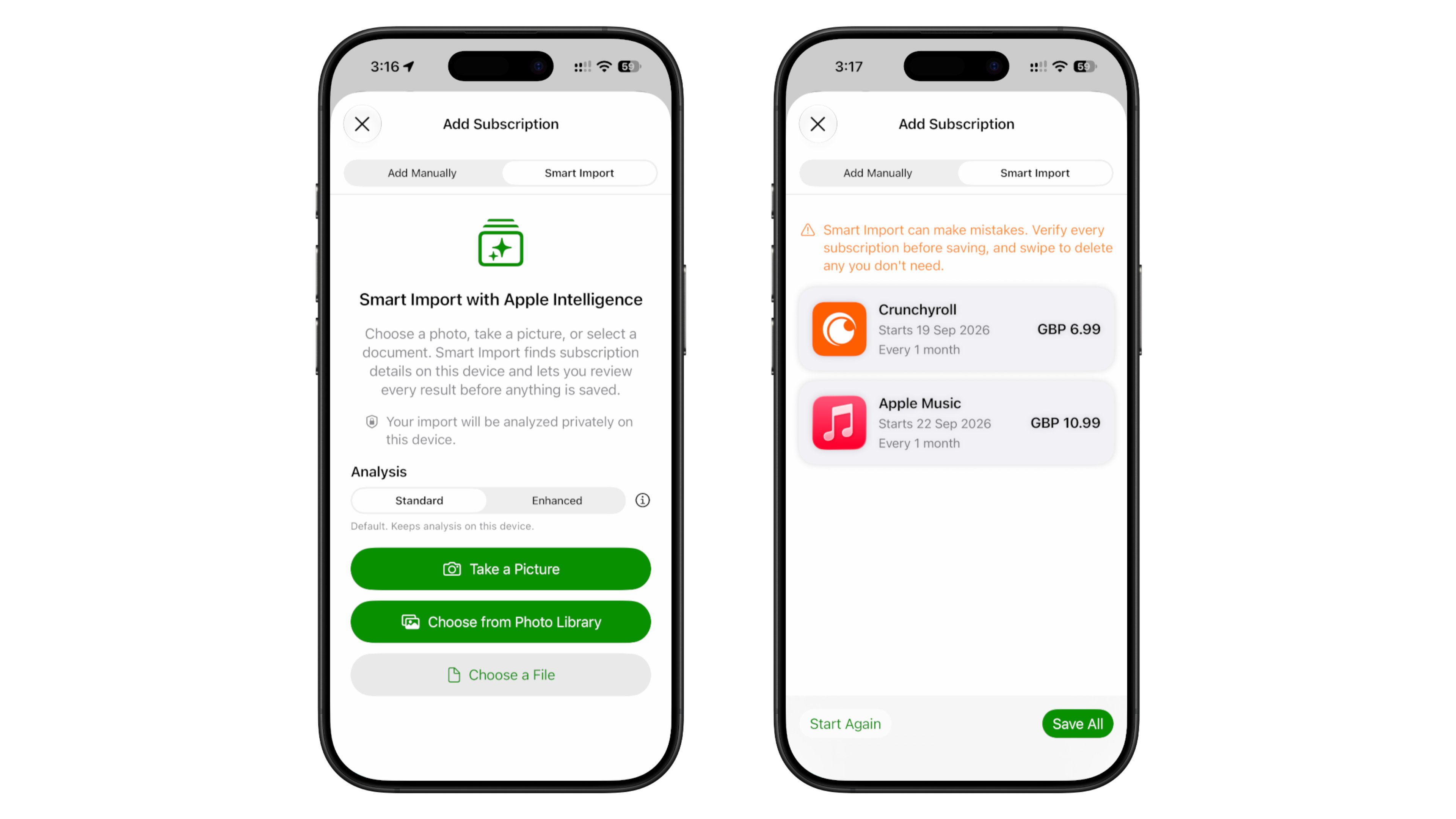
Powered by Apple Foundation Models, Smart Import can examine screenshots, documents and other supported files to identify potential subscriptions and recurring payments. It extracts useful information and prepares each item for review before anything is saved.
Users remain in control throughout the process. Every detected item can be checked, edited or removed before it is added to SubManager.
For more complex files, users can choose enhanced analysis powered by Apple’s Private Cloud Compute. Standard analysis stays on the device, while enhanced analysis provides additional capability when needed.
Smart Import is available to SubManager+ users running the latest operating system on a device that supports Apple Intelligence. Free users can try the feature out before purchasing SubManager+ to save the imported subscriptions.
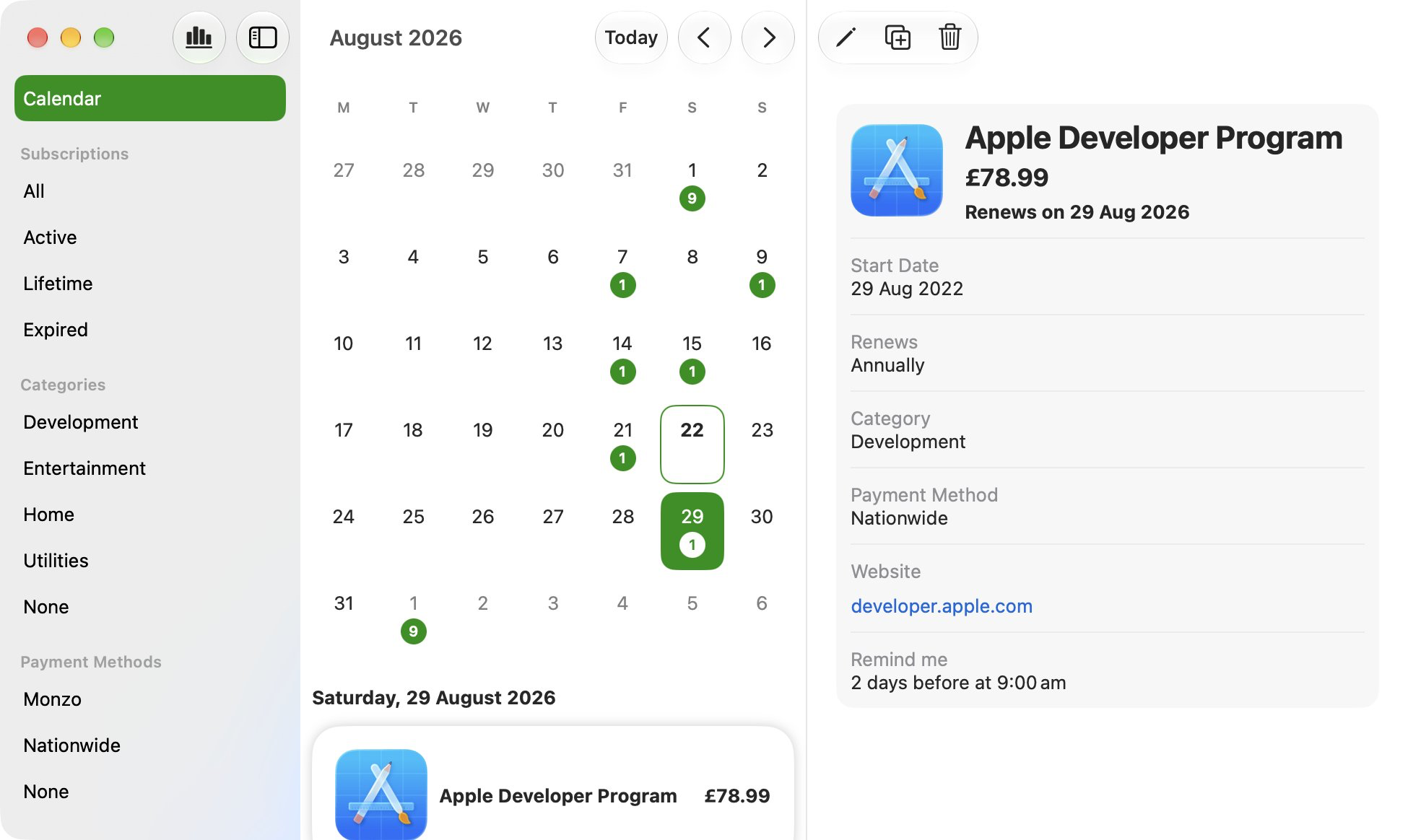
See every upcoming payment in one calendar
Knowing how much something costs is only part of managing recurring spending. Knowing when the payment is coming can be just as important.
The new Calendar view gives SubManager+ users a clear monthly overview of upcoming charges. Select a date to see which subscriptions and recurring payments are due, move between months and identify days when several expenses will arrive together.
Whether it is a streaming subscription, an annual insurance renewal or the next rent payment, the Calendar makes it easier to plan ahead with confidence.
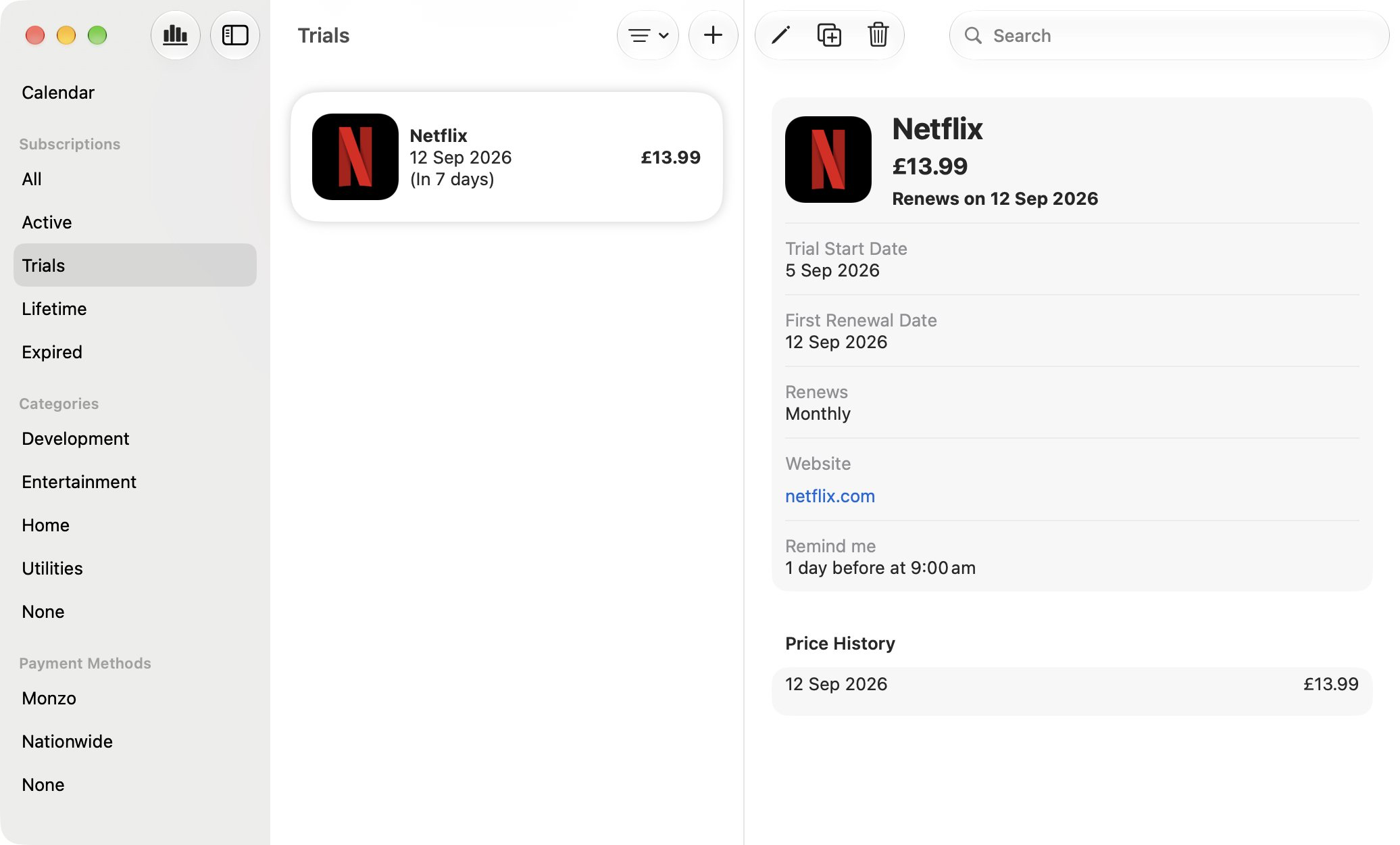
Keep track of free trials before they become paid
Free trials are easy to start and just as easy to forget.
SubManager 2.0 introduces dedicated free trial tracking. Users can record when a trial begins and when its first paid renewal is due. Trials appear in their own section, keeping them visible before they become another recurring charge.
Free trial tracking is available to all SubManager+ users.
Ask Siri AI about your subscriptions
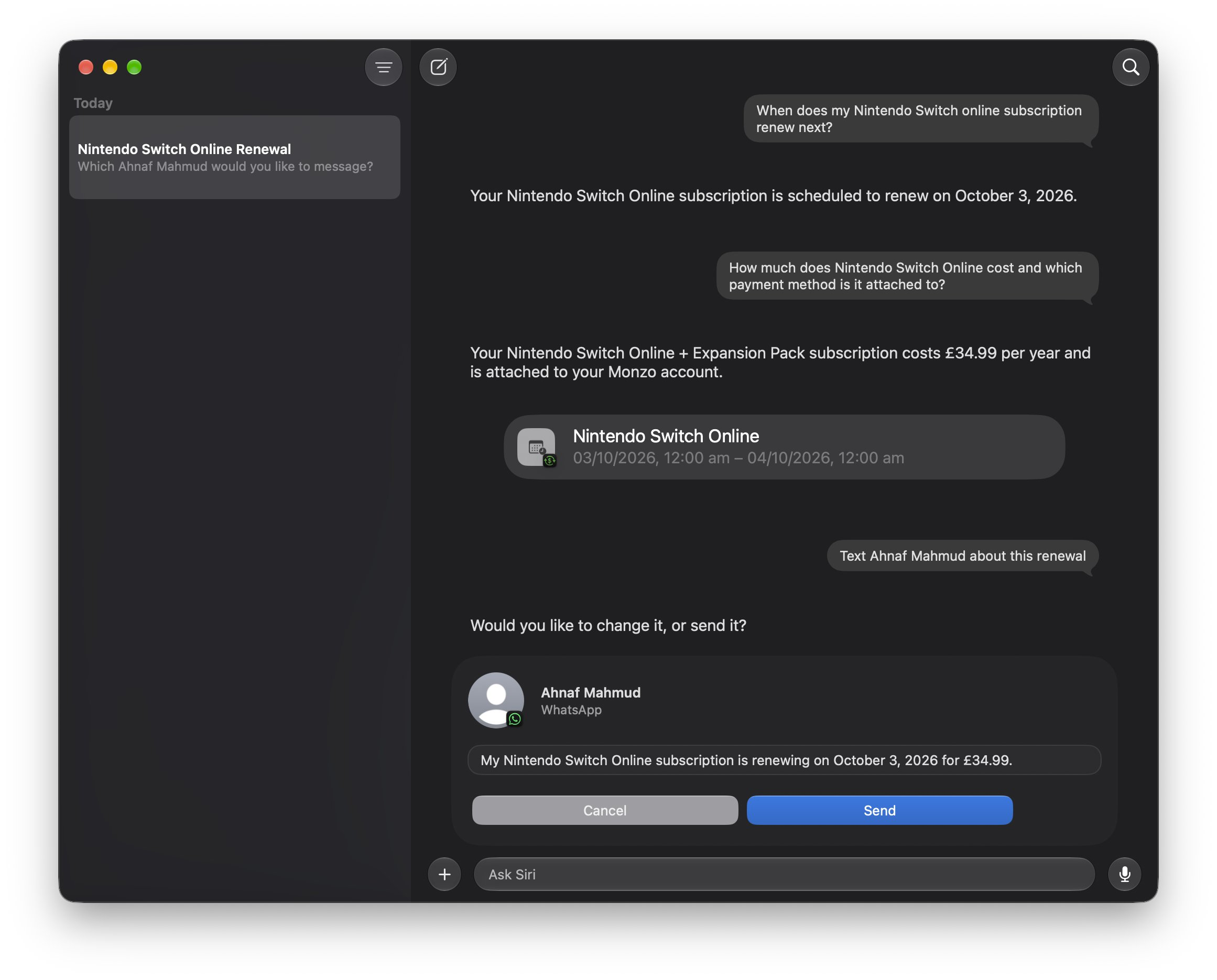
SubManager now works more deeply with Siri AI.
Users can ask when a subscription renews, search for a particular payment, open its details in SubManager or share renewal information with someone else using natural language.
Instead of searching through several apps, emails or bank statements, important subscription information can be just a question away.
Find subscriptions directly from Spotlight
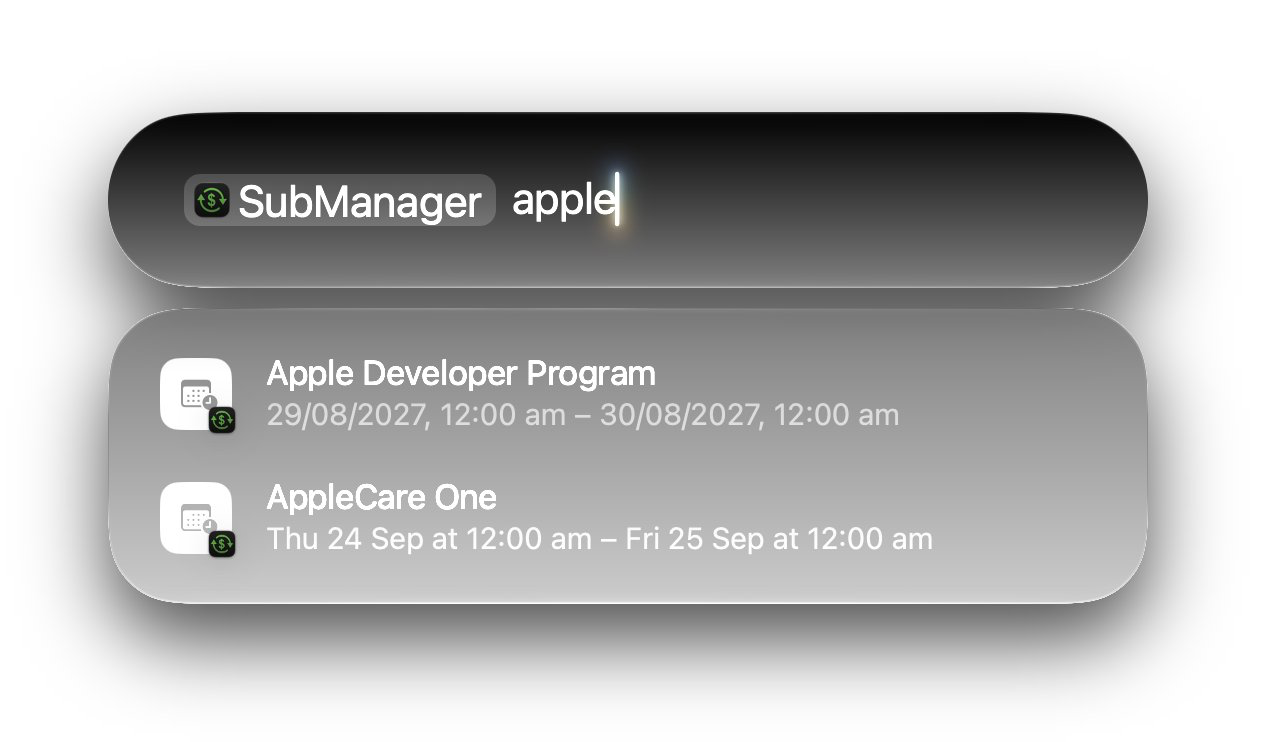
SubManager 2.0 integrates with Spotlight, making individual subscriptions easier to find from anywhere on the device.
Search for a subscription by name and open its details directly in SubManager. This provides a faster route to information such as its price, renewal schedule and other saved details.
Build more powerful automations with Shortcuts
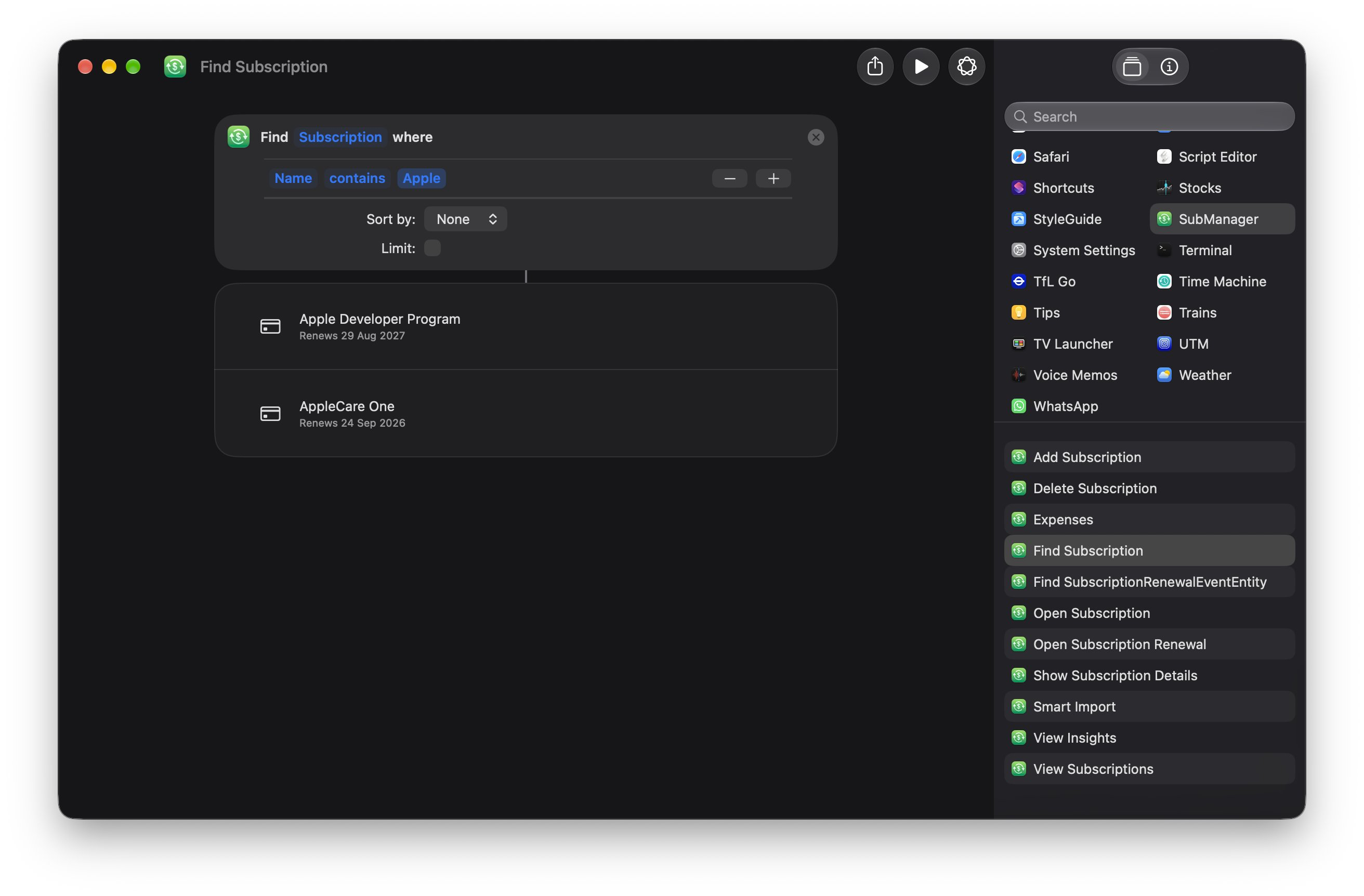
New actions give users more control over how SubManager fits into their personal workflows.
Find Subscriptions can filter saved items using specific criteria and pass the results to other actions. This makes it possible to build workflows for reviewing upcoming payments, generating personal reports or combining subscription information with other apps.
Smart Import can also begin from a shortcut. Pass it an image, PDF or text file and SubManager can analyse it in the background before opening with the detected subscriptions ready for review.
Make better use of widgets
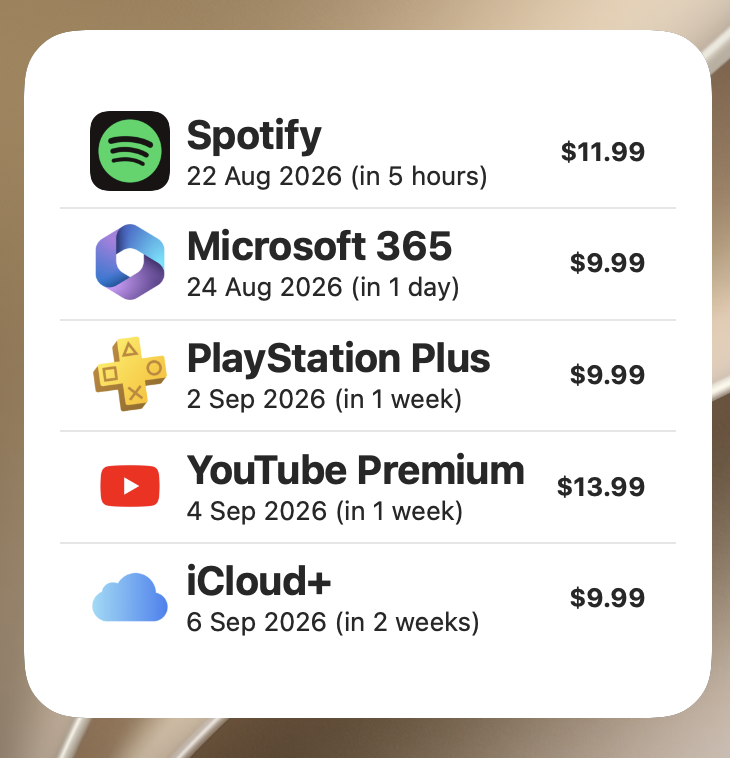
Widgets now display subscription icons, making upcoming payments easier to recognise at a glance. Users who prefer a simpler appearance can disable them.
SubManager 2.0 also supports the new extra-large portrait widget, providing more room to see upcoming renewals without opening the app.
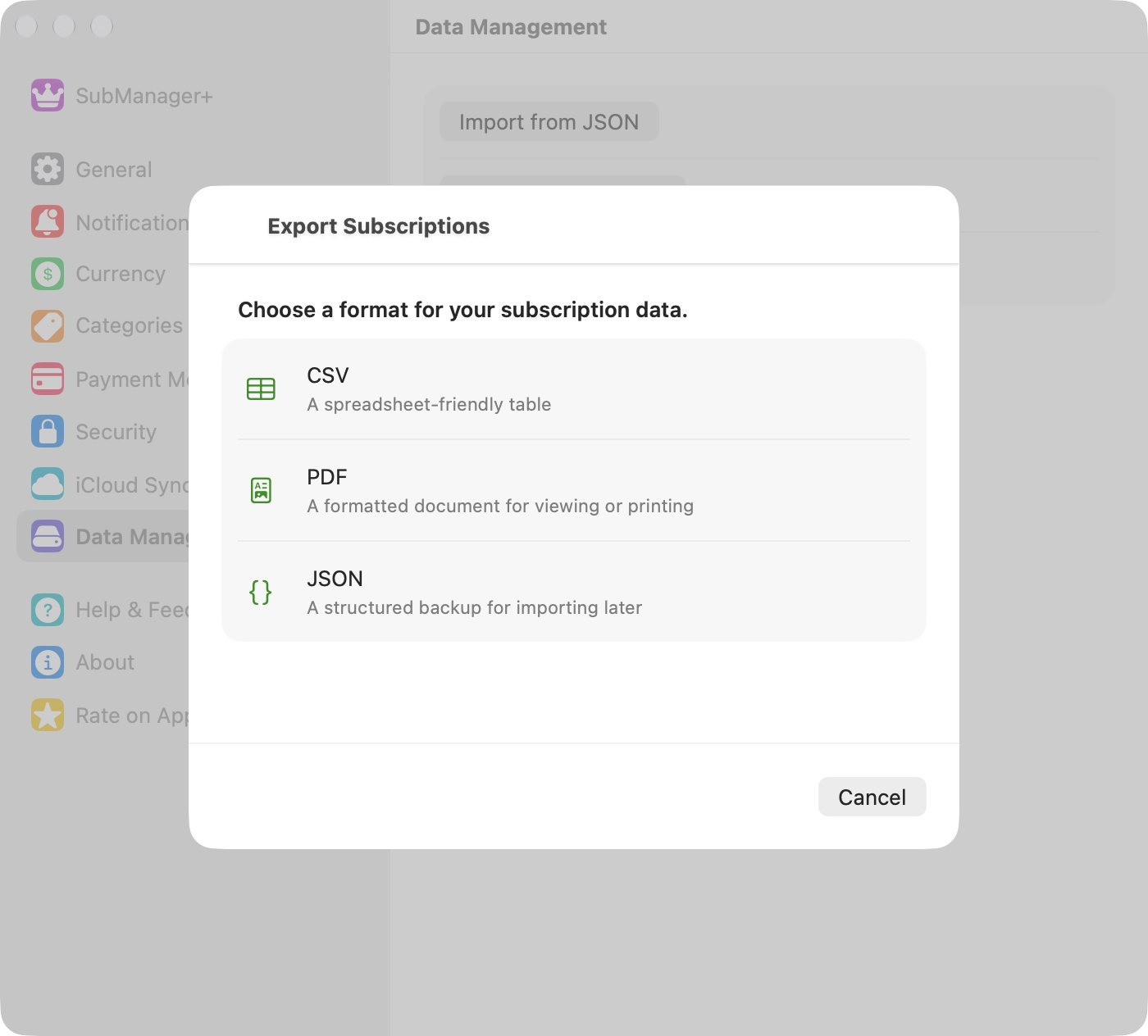
Export subscriptions as a PDF
SubManager+ users can now export their subscriptions and recurring payments as a formatted PDF document.
PDF joins the existing CSV and JSON options, giving users a convenient format for viewing, printing or keeping a personal record of their recurring expenses.
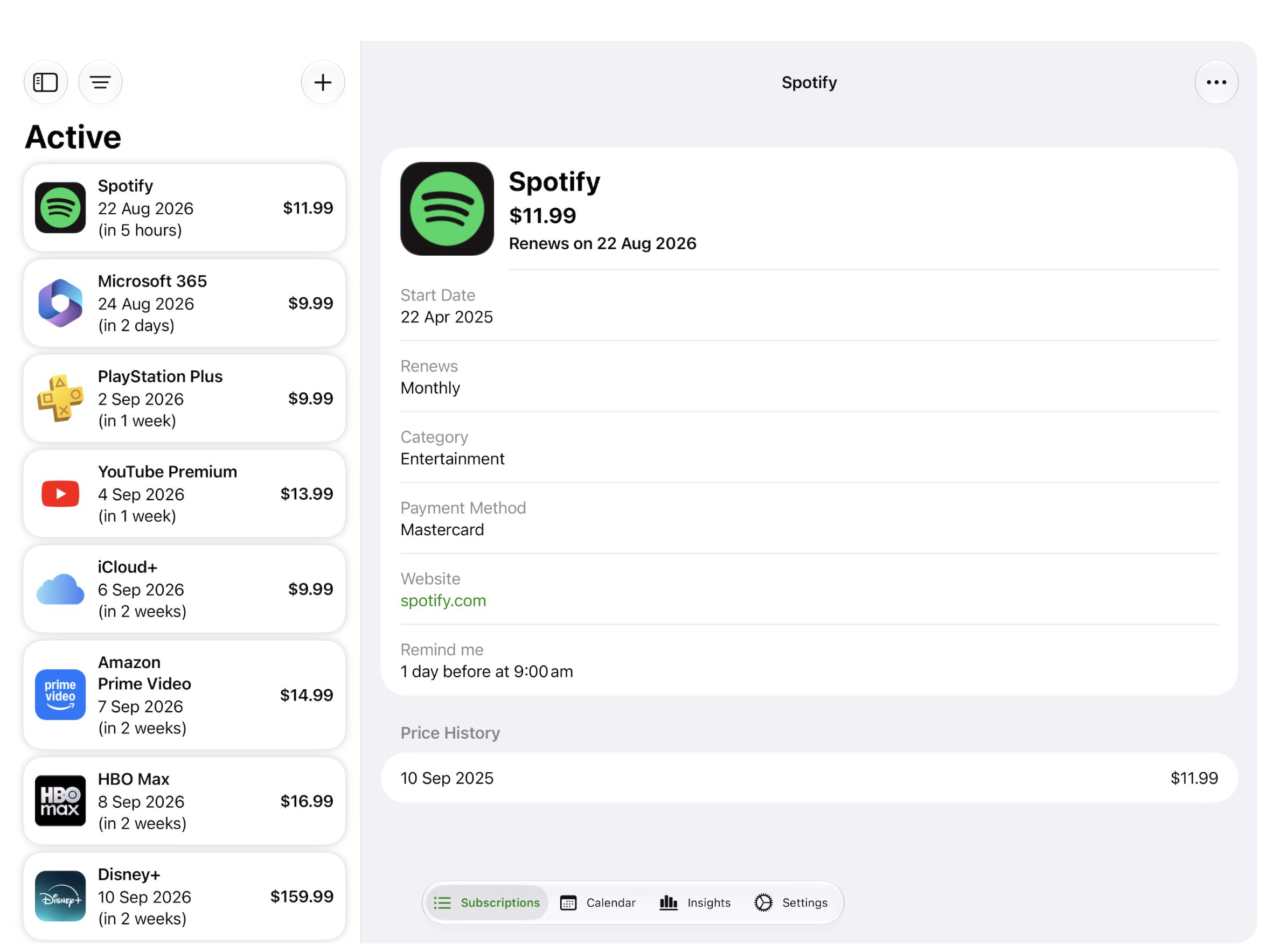
Enjoy a better experience in iPhone Mirroring
SubManager now adapts to larger and resizable iPhone Mirroring windows. Expand the window on a Mac and the app uses the additional space to present a more spacious, tablet style layout.
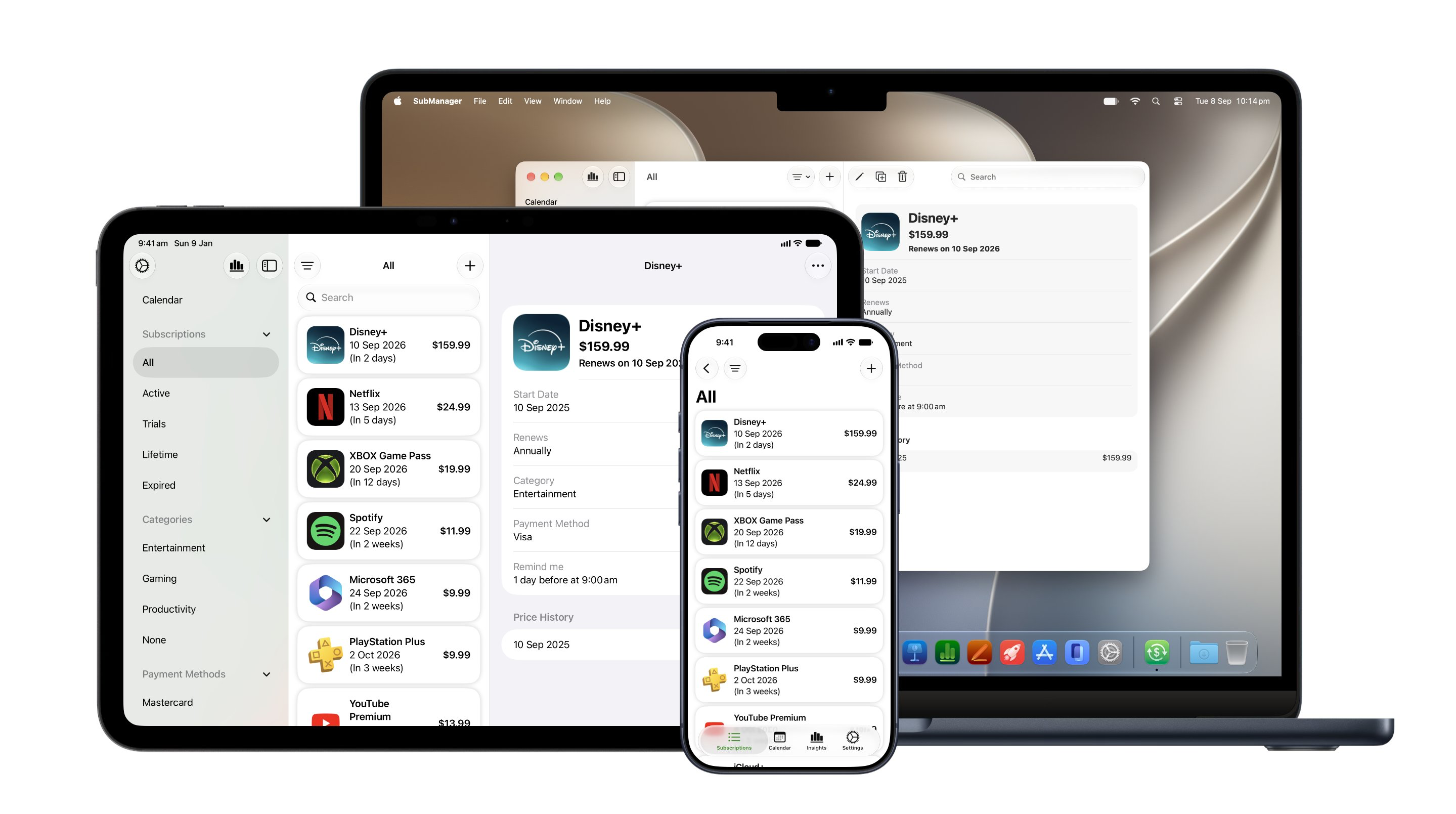
A fully native experience across the Apple ecosystem
SubManager is one of the very few subscription tracking apps with fully native versions across the Apple ecosystem. Dedicated apps for iPhone, iPad, Mac, Apple Watch and Apple Vision Pro provide an experience designed specifically for each device.
Users can add and review subscriptions on iPhone, manage their recurring expenses on Mac and check upcoming renewals at a glance on Apple Watch.
A web viewer also makes it possible to view subscriptions from non-Apple devices, including Windows computers. This gives users access to their subscription information even when an Apple device is not nearby.
Three years of helping users understand recurring spending
SubManager began as a project I worked on in my free time while studying at university. The success of several open source apps I had previously released encouraged me to take on a more ambitious project for Apple platforms.
At the time, I needed a better way to organise my own recurring expenses and avoid unexpected renewals. What began as a personal solution to a problem I faced as a student has grown into an app that helps users around the world feel more informed and in control of their recurring finances.
Over the past three years, SubManager has developed into a broader tool for understanding recurring spending. Users rely on it to keep an eye on digital subscriptions, household services, memberships, insurance, rent and other payments that return every week, month or year.
SubManager 2.0 continues that mission with faster ways to add subscriptions, clearer ways to see what is coming and deeper integration across the Apple ecosystem.
Availability
SubManager 2.0 launches worldwide at 7:00 a.m. BST on September 14. It will be available in Pacific time from 11:00 p.m. PDT on September 13.
The update will be available through the App Store for iPhone, iPad, Mac, Apple Watch and Apple Vision Pro. The SubManager web viewer can be accessed from other devices, including Windows computers.
Feature availability varies by device, operating system version, language, region and SubManager+ status. Smart Import requires iOS 27, iPadOS 27, macOS 27 or visionOS 27 on a compatible device with Apple Intelligence enabled. Enhanced analysis uses Private Cloud Compute, requires an internet connection and is subject to daily usage limits based on the user’s iCloud+ plan.
Siri AI is currently unavailable on iPhone and iPad in the European Union. It requires a supported device and language.
Smart Import, Siri AI and other features that use the latest Apple Intelligence capabilities are currently unavailable in China mainland.
Introducing SubManager 1.7 with Liquid Glass
15 September 2025
Hi everyone,
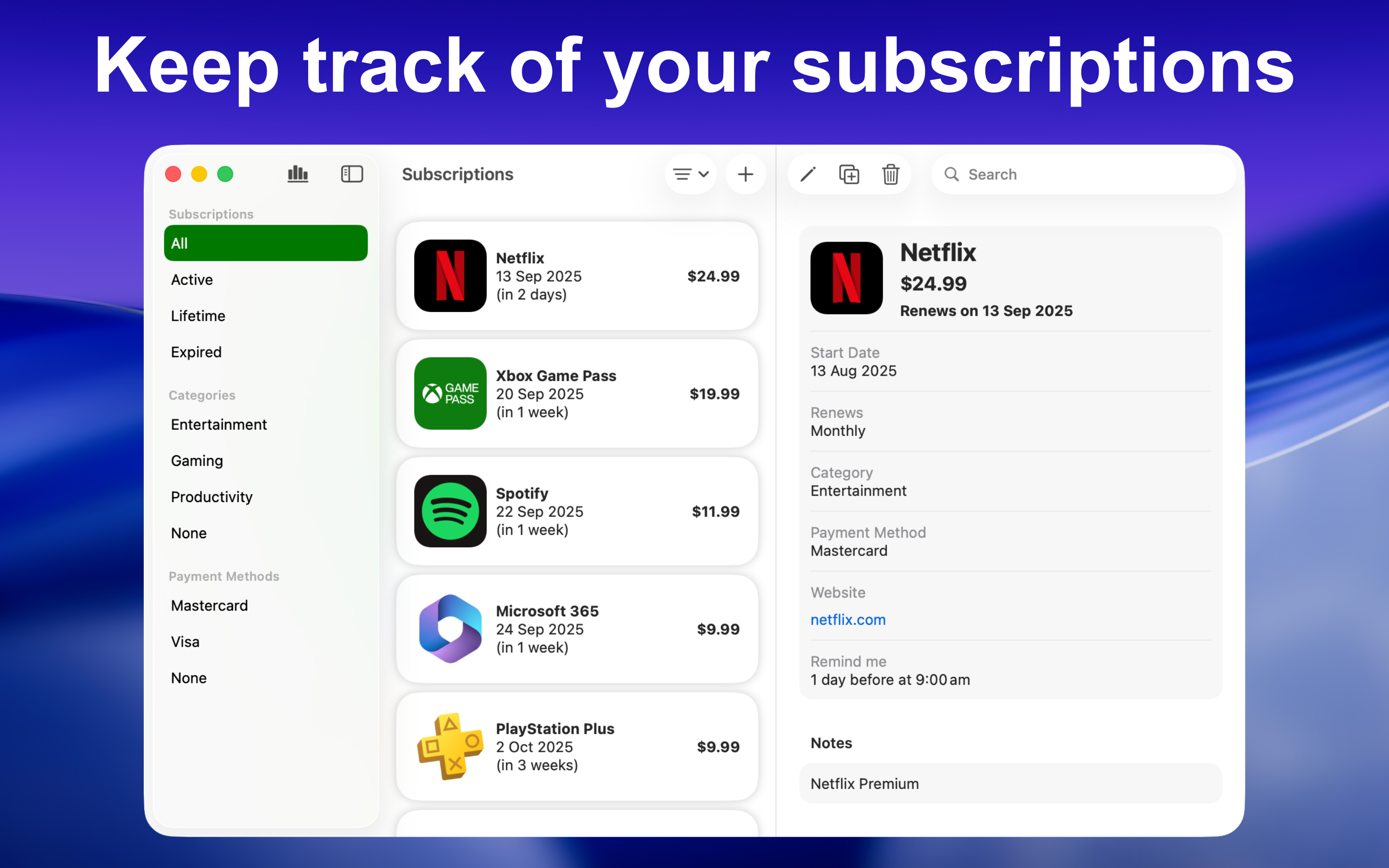
I'm happy to announce the launch of SubManager 1.7, with full support for Apple's OS 26 operating systems and Liquid Glass.
SubManager has usually been the first to adopt the latest Apple platform features, and this year is no exception.
Highlights include the following:
-
All new Liquid Glass UI, making SubManager feel right at home on the new operating systems.
-
Redesigned app icons with Liquid Glass elements.
-
Shortcuts to view your subscriptions and insights via the Apple Watch Control Centre, Smart Stack or Action Button.
-
Shortcuts to view your subscriptions, add subscriptions and view insights via the Control Centre or Menu Bar on Mac.
-
An improved menu bar on iPadOS.
-
Widgets on visionOS.
To celebrate 2 years on the App Store and the launch of Apple's new operating systems, the SubManager+ IAP, containing extra features such as the ability to categorise your subscriptions is available for $3.99 until Sunday September 21. Be sure to grab the offer while it lasts!
That's all I have for now. Let me know what you think 🙂
Introducing Price History and the SubManager Viewer web app
19 March 2025
Hi everyone,
I'm happy to announce that one of the most requested features, price history is now available in SubManager v1.5 for SubManager+ users!
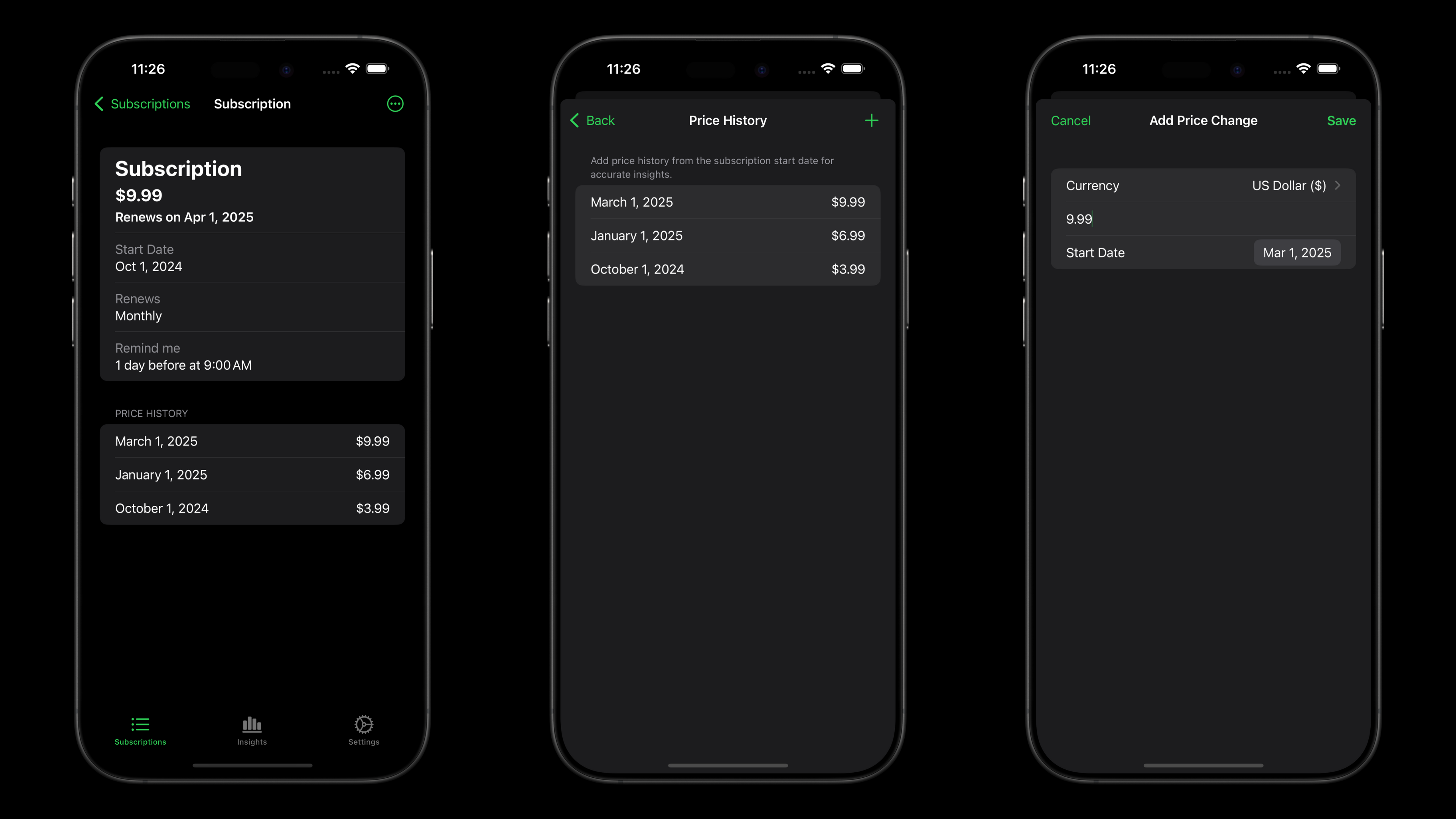
With so many subscription services increasing their prices these days, this feature will let you record those changes and you'll be able to view the entire history on the details page of each subscription. The insights has also been updated to use this new information.
For the insights to be accurate, make sure to add price history data starting from the subscription start date.
The next big update is the launch of SubManager Viewer on the web! SubManager Viewer is powered by CloudKit JS, which allows iCloud data to be displayed in web apps like this one.
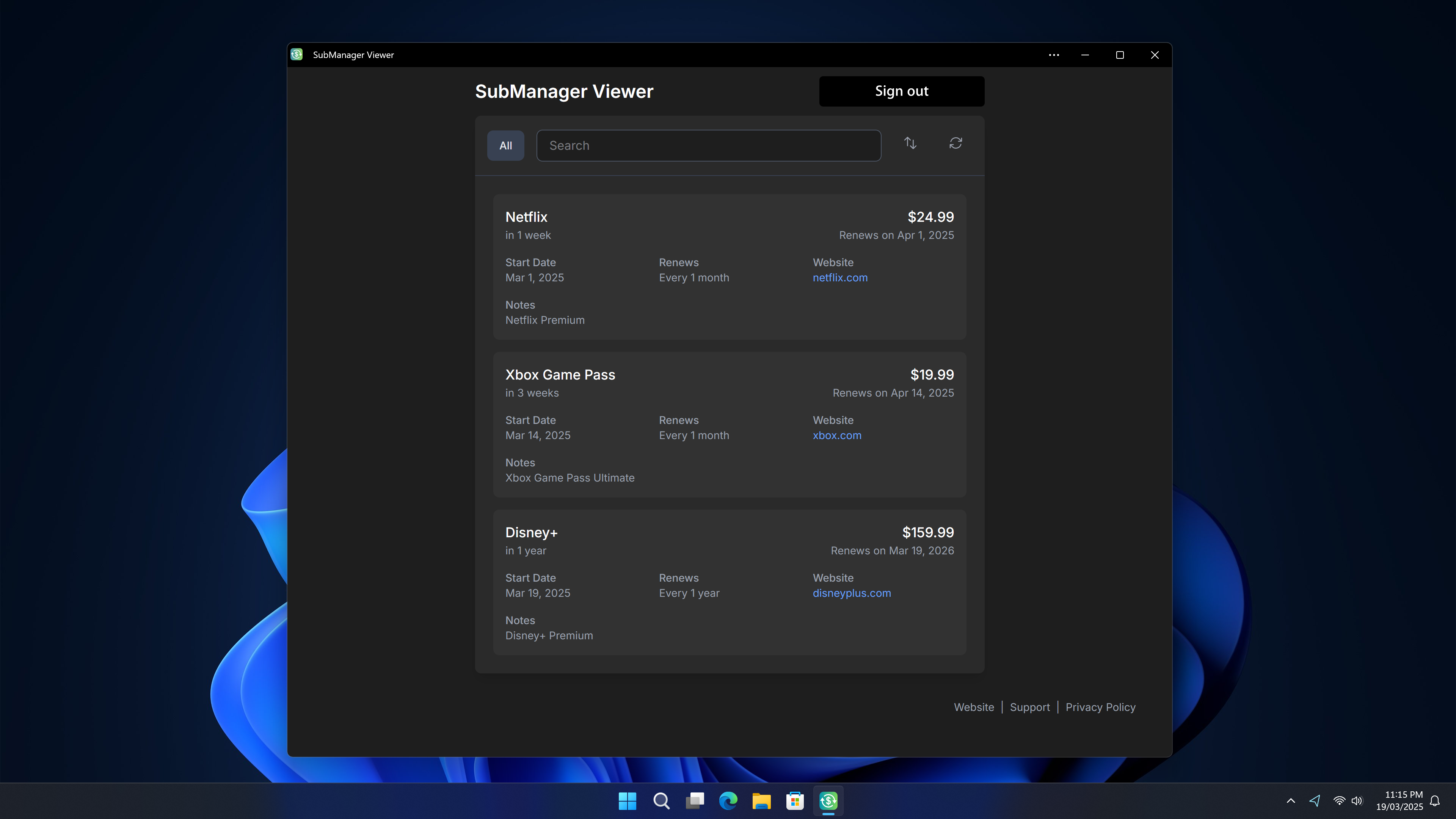
Thanks to the web app, you can now access your SubManager data on virtually any device with a web browser, including on Windows and Linux.
Like the name suggests, SubManager Viewer is solely focused on viewing your data, so there is no editing functionality. The native app on Apple devices remain the best way to access SubManager and is an Apple ecosystem focused product. But I also recognise there is a large number of Windows & iPhone users out there, and I hope the web app will be useful to some people.
SubManager Viewer can be accessed at web.submanager.app. It's also available on the Microsoft Store as a Microsoft Edge PWA — get it on the Microsoft Store. Give it a go and let me know what you think!
That's all I have for now. A huge thank you to everyone who's been using the app and sharing their thoughts! Your feedback means a lot to me and does help to make the app even better. To be the first to know of any updates, follow SubManager on X, Mastodon or Bluesky.
SubManager launches its biggest Black Friday sale ever
26 November 2024
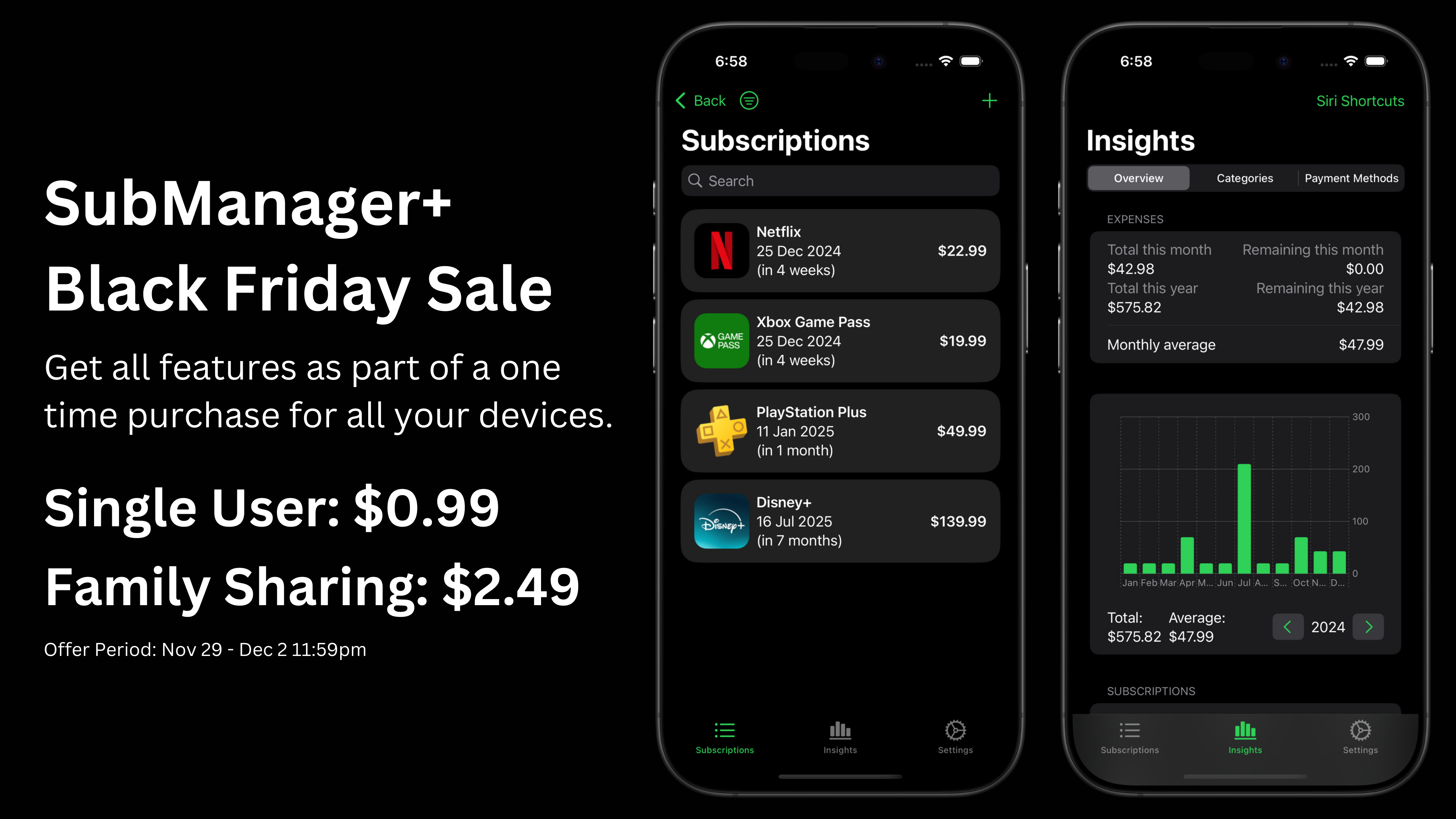
Get ready for SubManager's biggest sale ever this Black Friday!
From November 29th to December 2nd, you can get SubManager+ for just $0.99! SubManager+ with Family Sharing will also be getting a discount at just $2.49. For existing SubManager+ users who want to upgrade to the family sharing version, the offer will be discounted to $1.49.
In today's subscription-heavy world, SubManager can help track your subscriptions in one place. Don't miss out on this opportunity!